This testimony illustrates the needs of language centers which must reconcile group flexibility, visibility for learners and administrative management.
See the language center solutionUser testimonials and field feedback
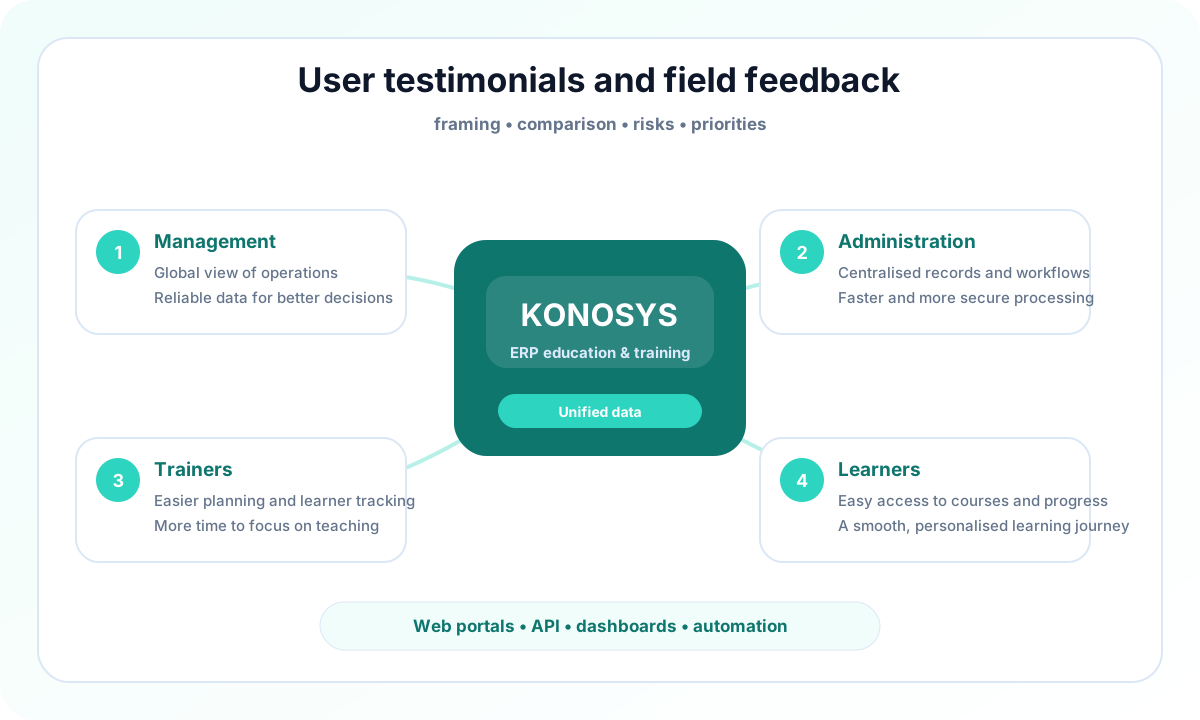
Discover how leading educational institutions and training centers use Konosys to streamline their daily operations and drive their digital transformation.
Konosys Video Testimonials
Four field reports to understand how Konosys responds to different contexts: language center, adult professional training, business school and engineering school.
This case highlights the interest of a training ERP to structure adult courses, attendance, documents and management data.
See the professional training solutionThe BSB return, with Mr. Usquin, helps illustrate the challenges of a large school where the ERP must support multiple processes and strong governance requirements.
See the Grandes Ecoles solutionThis testimony completes the Grandes Écoles approach with an engineering context, where the reliability of data and the coordination of services are central.
See the Grandes Ecoles solutionWhat Konosys brings
Operational content to identify priority uses, compare deployment options, prepare integrations and organize a useful demonstration with your teams.
Directions
Directions integrates with Konosys processes with shared data, controlled rights, monitored workflows and indicators that can be used by the teams.
Administrative
Administrative integrates with Konosys processes with shared data, controlled rights, monitored workflows and indicators that can be used by teams.
Trainers
Trainers integrates into Konosys processes with shared data, controlled rights, monitored workflows and indicators that can be used by teams.
Learners
Give each profile targeted access to useful information and actions: files, requests, documents, schedules, validations and real-time monitoring.
A project to work with your teams
Decision-makers, project teams, administrators and business managers in the reflection or deployment phase.
- Identify the processes to prioritize and the modules to activate.
- Map data, portals, roles and authorizations.
- Prepare useful connectors with your IS, your LMS and your financial tools.
- Build a progressive and measurable deployment trajectory.
Published by E-Charlemagne
Konosys draws on historical expertise in education, professional training, large networks and public digital transformation projects.
Schedule a demoContent to prepare a structured decision
Before launching a Konosys project, management must often compare several scenarios: isolated software, business ERP, extension of an LMS, specific development or modular platform.
These resources are used to clarify issues, identify risks, prepare scoping workshops and align business, IS, finance and general management teams.
They are designed to transform a digitalisation intention into a manageable project, with priorities, indicators and a realistic deployment trajectory.
Evaluate Konosys for your specific needs.
Describe your organisation, your volumes, your existing tools and the modules that interest you.