Directory and SSO connector for Konosys
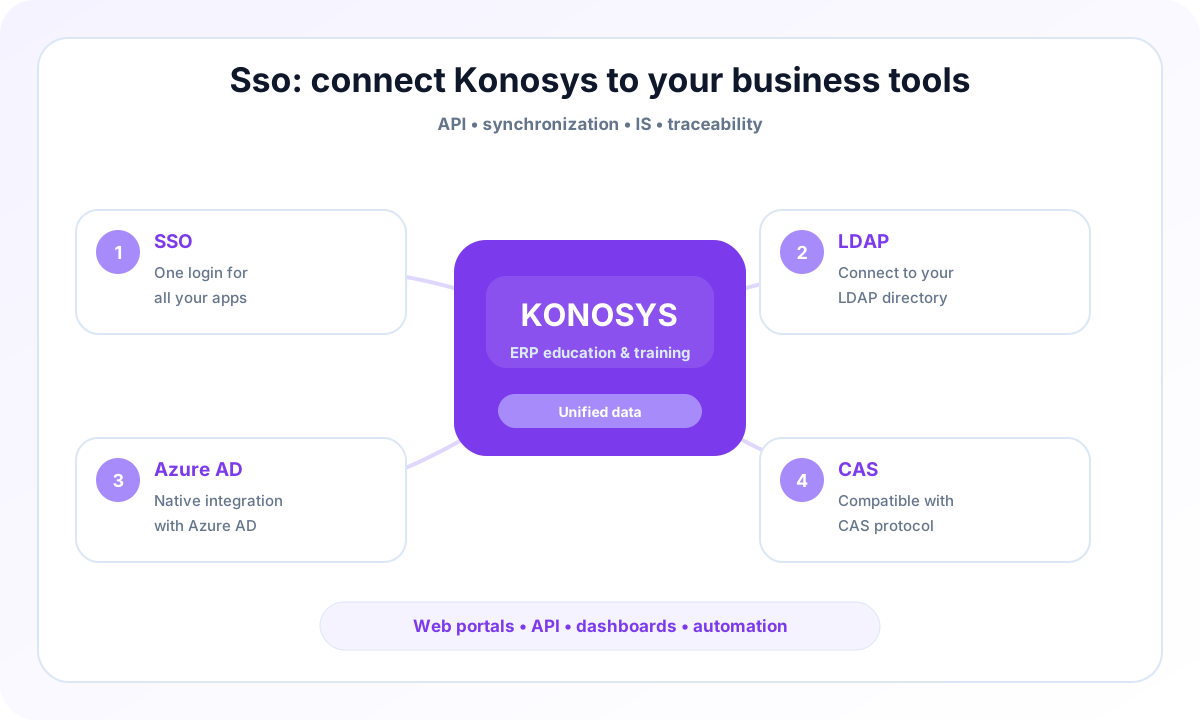
Synchronize identities and simplify access to Konosys portals with ADSI, OpenLDAP, Office 365 / Azure AD, CAS or SAML.
Unify access without recreating accounts by hand.
The directory connector allows Konosys to be aligned with your identity policy: synchronization of logins, attachment to profiles, activation or deactivation of accounts, and access to portals according to business rights.
Depending on your environment, connections may rely on ADSI, OpenLDAP, Office 365 / Azure AD, CAS or SAML. The exact scope is defined with your IT department: source of truth, synchronized attributes, groups, naming rules, account lifecycle and password management.
Examples of directory feeds
Useful scenarios for learners, teachers, administrators and partners.
What Konosys brings to identities
A controlled connection between directory, authentication and business rights.
SSO
centralise authentication via CAS, SAML or Azure AD to streamline access to portals.
LDAP
Synchronize identities from OpenLDAP or internal directory according to the attributes validated by the IT department.
Azure AD
Attach Konosys to the Microsoft 365 ecosystem for accounts, groups and institutional access.
CAS
Integrate Konosys portals into a single sign-on strategy already deployed in the establishment.
A project to work with your teams
IS and business teams who want to industrialize exchanges without losing control.
- Identify the processes to prioritize and the modules to activate.
- Map data, portals, roles and authorizations.
- Prepare useful connectors with your IS, your LMS and your financial tools.
- Build a progressive and measurable deployment trajectory.
Published by E-Charlemagne
Konosys draws on historical expertise in education, professional training, large networks and public digital transformation projects.
Schedule a demoA connector to make flows more reliable and reduce re-entries
An education ERP project rarely succeeds alone: it must interact with LMS, financial solutions, directories, collaborative tools, HR platforms and existing business systems.
Konosys connectors are designed to secure data exchanges, limit flow disruptions and maintain information that can be used by management and field teams.
The objective is pragmatic: connect the right systems, at the right level, with sufficient traceability to manage quality, compliance and operational performance.
Evaluate Konosys on your real scope.
Describe your organisation, your volumes, your existing tools and the modules that interest you.