Konosys for Office: Word, Excel and Outlook connected to the ERP
Konosys for Office adds an industry ribbon to desktop versions of Microsoft Office to work directly with Konosys data from Word, Excel and Outlook.
An Office connector for daily business uses
The Konosys ribbon brings the ERP closer to the tools already used by the teams: letters, reports, analysis tables, exports, automation and planning.
Konosys for Word
Design models of reports, certificates, letters and printing documents by inserting fields from Konosys business objects.
Konosys for Excel
Create extractions, dashboards, imports, exports and mass processing directly from Excel, with data linked to the Konosys base.
Konosys for Outlook
View, add, modify and manipulate schedule events for users, rooms, groups, materials and educational resources.
Business automation
Industrialize recurring actions: document generation, periodic extraction, preparation of reports and synchronization of schedules.
A Konosys ribbon in desktop applications
Konosys for Office is designed for teams who want to harness the power of the ERP base without leaving their office tools. The Office ribbon provides access to fields, objects, actions and data authorized according to the user's rights.
In Word, teams create report and document models based on business objects: learner, registration, convention, invoice, session, diploma, group or company. The templates can then be reused to produce consistent and controlled documents.
In Excel, users can create extractions, populate dashboards, prepare imports, launch exports and perform mass processing, without having to re-enter data or disconnect data from the Konosys repository.
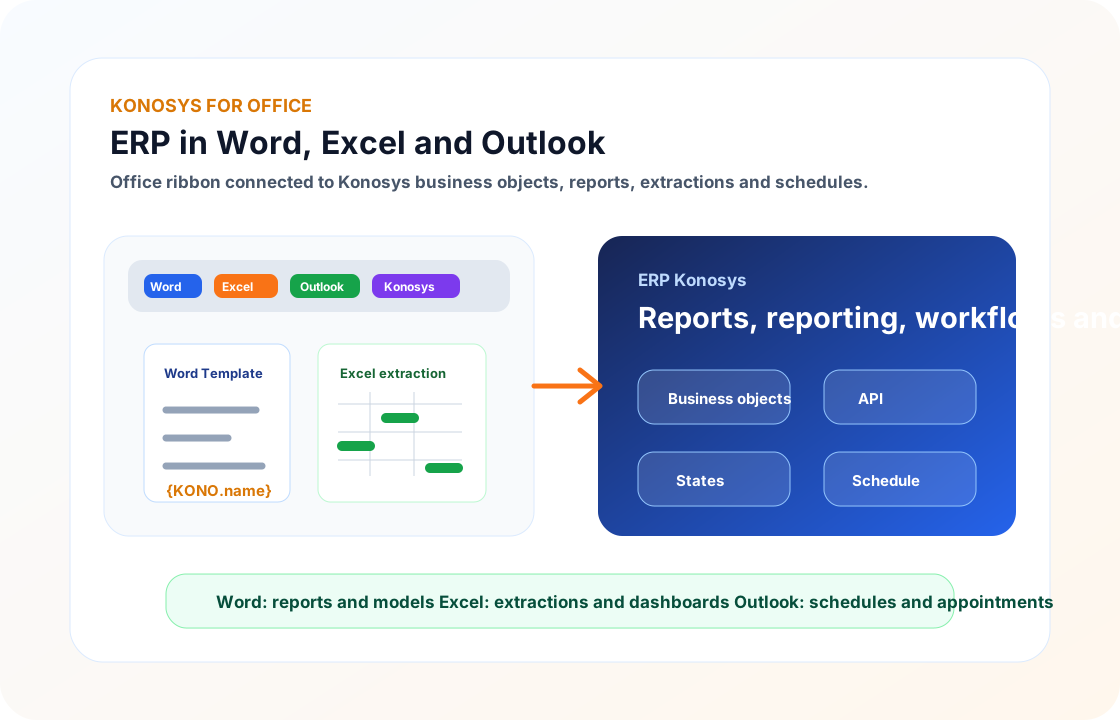
Word: report templates
Certificates, summons, letters, contracts, conventions, educational or financial documents: Word becomes a documentary composition workshop connected to the Konosys fields.
Excel: reporting and mass
Teams can produce reports, manipulate datasets, build dashboards, launch exports or prepare controlled imports.
Outlook: schedule
Outlook makes it easy to view and manipulate schedules: creation, modification, deletion, drag and drop and synchronization of inter-calendar events.
Do your teams already work in Office?
Let's present how Konosys for Office can accelerate your reports, exports, reporting and planning operations.