Microsoft 365, Teams, Office 365 and Google Apps
Connect Konosys to everyday collaborative tools: calendars, messaging, documents, virtual classes, Teams, Office 365 and Google Workspace.
Connect the training ERP to users’ work tools.
Collaborative connectors bring Konosys closer to Microsoft 365, Office 365, Teams and Google Apps / Google Workspace environments. The objective is to streamline uses: calendar, notifications, documents, video, groups, messaging and collaborative spaces.
The possible flows depend on your environment: synchronization of planning events, creation of Teams meetings, attachment of documents, Outlook/Gmail notifications, links to virtual classes or access from Konosys portals.
Examples of collaborative flows
Concrete cases between Konosys planning and Microsoft / Google tools.
What Konosys brings to collaborative tools
Continuity between planning, portals, documents, messaging and virtual classes.
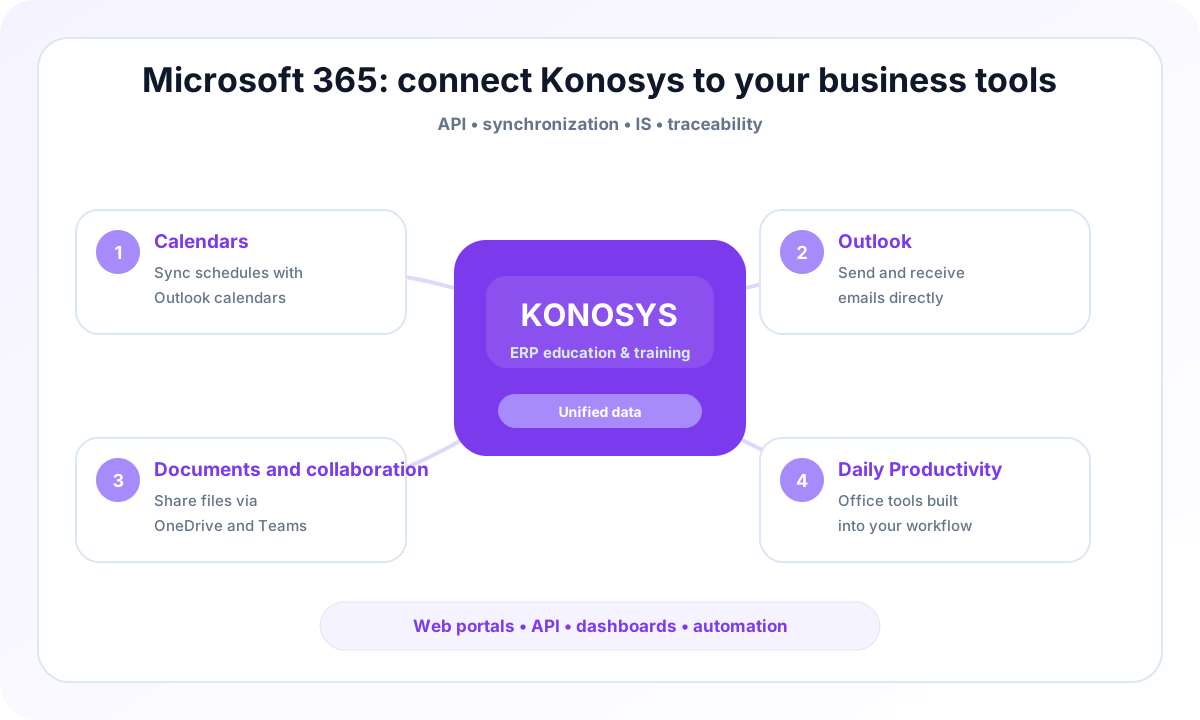
Calendars
Synchronize key events with Outlook, Office 365 or Google Calendar.
Outlook
Use messaging for notifications, invitations, reminders and targeted communications.
Documents and collaboration
Link educational, administrative or financial documents to Konosys processes.
Daily Productivity
Avoid double entry between planning, portals, messaging, video and workspaces.
A project to work with your teams
IS and business teams who want to industrialize exchanges without losing control.
- Identify the processes to prioritize and the modules to activate.
- Map data, portals, roles and authorizations.
- Prepare useful connectors with your IS, your LMS and your financial tools.
- Build a progressive and measurable deployment trajectory.
Published by E-Charlemagne
Konosys draws on historical expertise in education, professional training, large networks and public digital transformation projects.
Schedule a demoA connector to make flows more reliable and reduce re-entries
An education ERP project rarely succeeds alone: it must interact with LMS, financial solutions, directories, collaborative tools, HR platforms and existing business systems.
Konosys connectors are designed to secure data exchanges, limit flow disruptions and maintain information that can be used by management and field teams.
The objective is pragmatic: connect the right systems, at the right level, with sufficient traceability to manage quality, compliance and operational performance.
Evaluate Konosys on your real scope.
Describe your organisation, your volumes, your existing tools and the modules that interest you.